![Adriel-logo_navy.png]](https://academy.adriel.com/hs-fs/hubfs/Adriel-logo_navy.png?height=27&name=Adriel-logo_navy.png)
Before you begin
To invite members to your workspace, you must at least have View & edit permissions in the workspace.
Instructions
-
Sign in to your Adriel account.
-
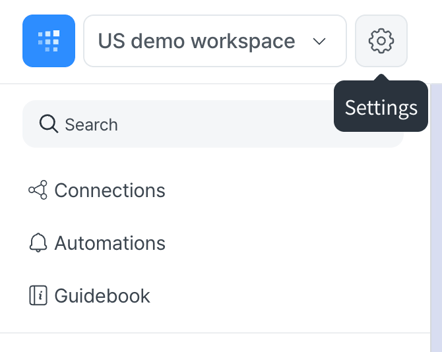
Navigate to the settings tab in the left hand navigation bar > Settings.
-
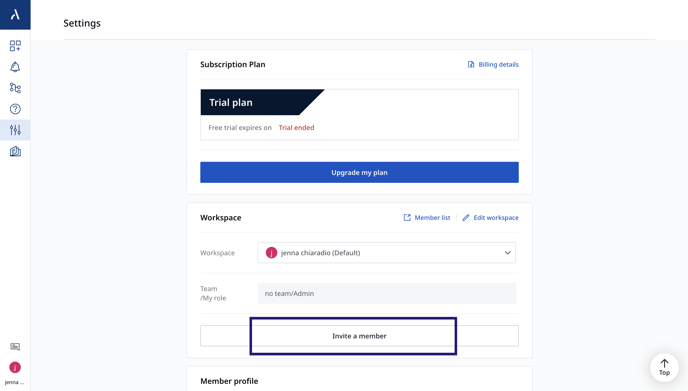
Under Settings, select Invite a Member
-
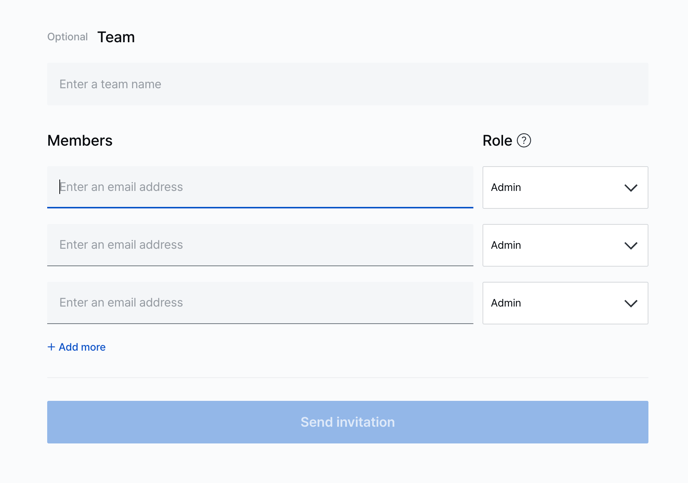
Enter the email address of the team member you want to add. Select a role and assign it to the team member.
-
Click on Send invitation to send an email to the new member(s).